Introduction
Imagine this: Your personal files, years of photos, documents, and memories, are suddenly locked away, held hostage by a piece of malicious ransomware. That’s exactly what happened to my friend Hank. His files had been encrypted, and unless we could find the key, they were lost for good.
But Hank had one thing on his side: Me. As a cybersecurity professional, I was determined to break down the malware that had taken over his files, recover the encryption key, and restore his data.
In this video, you can see the damage. Hank’s files are in his backup folder, but they’ve all been renamed and encrypted by the ransomware. The stakes were clear: I had to reverse-engineer the malware and decrypt these files.
Malware Analysis: Dissecting the Threat
To understand how the ransomware operated, I turned to one of the most powerful reverse-engineering tools available: Ghidra. By loading the malware into Ghidra, I could examine its internal code and see how it was targeting Hank's files.
Uncovering the Attack Code
The malware, named mYSCpPoHAih, was designed to target files in specific directories and rename them with the ~en prefix, indicating that they had been encrypted. This attack was the first clue that the encryption process was happening at the system level, so I started diving deeper into the code.
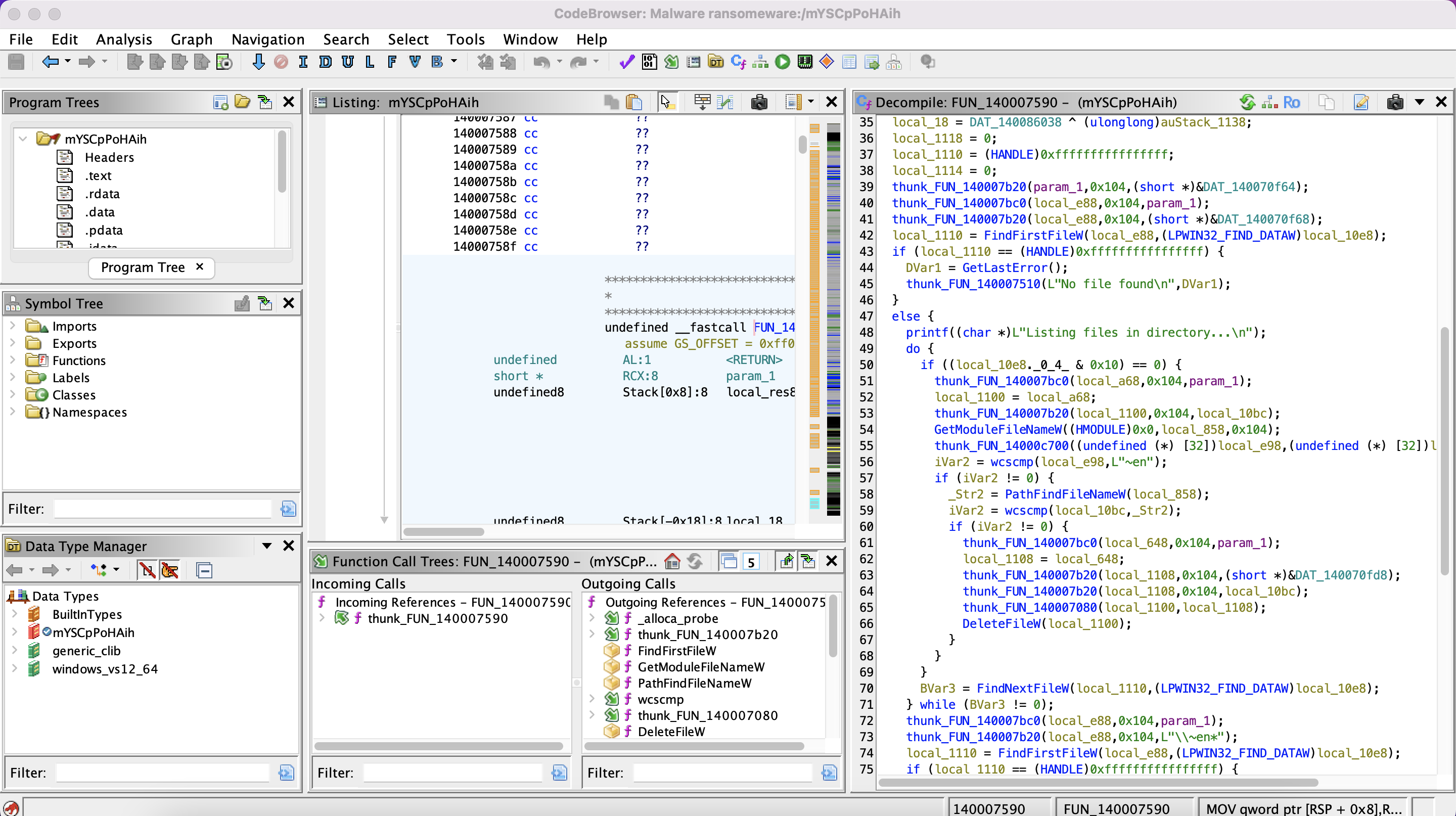
By analyzing the attack code, I was able to trace the function calls that listed the files, renamed them, and eventually passed them to the encryption routine. This was where the real magic, or in this case, destruction, happened.
Reverse Engineering the Encryption
In the process of reverse engineering, I found the encryption function buried deep within the code. The ransomware was using AES in CBC mode (Cipher Block Chaining) to encrypt each file. Understanding this was critical because CBC mode requires two key components: the Initialization Vector (IV) and the encryption key.
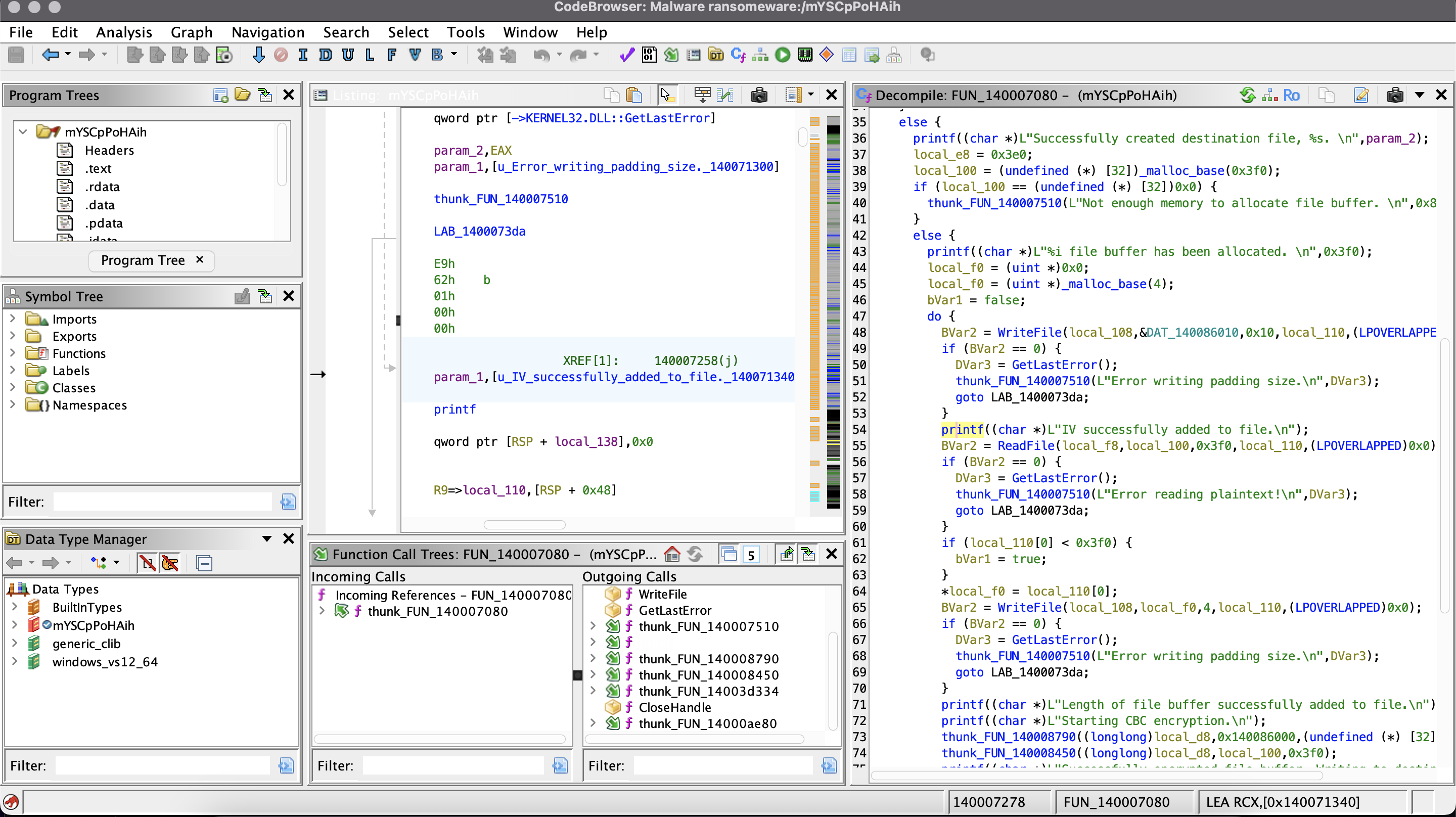
The encryption process started by opening the plaintext file, creating a destination file (the encrypted version), and then allocating a buffer size for the encryption process. But the key insight came when I discovered where the IV and key were being stored.
Locating the IV and Key
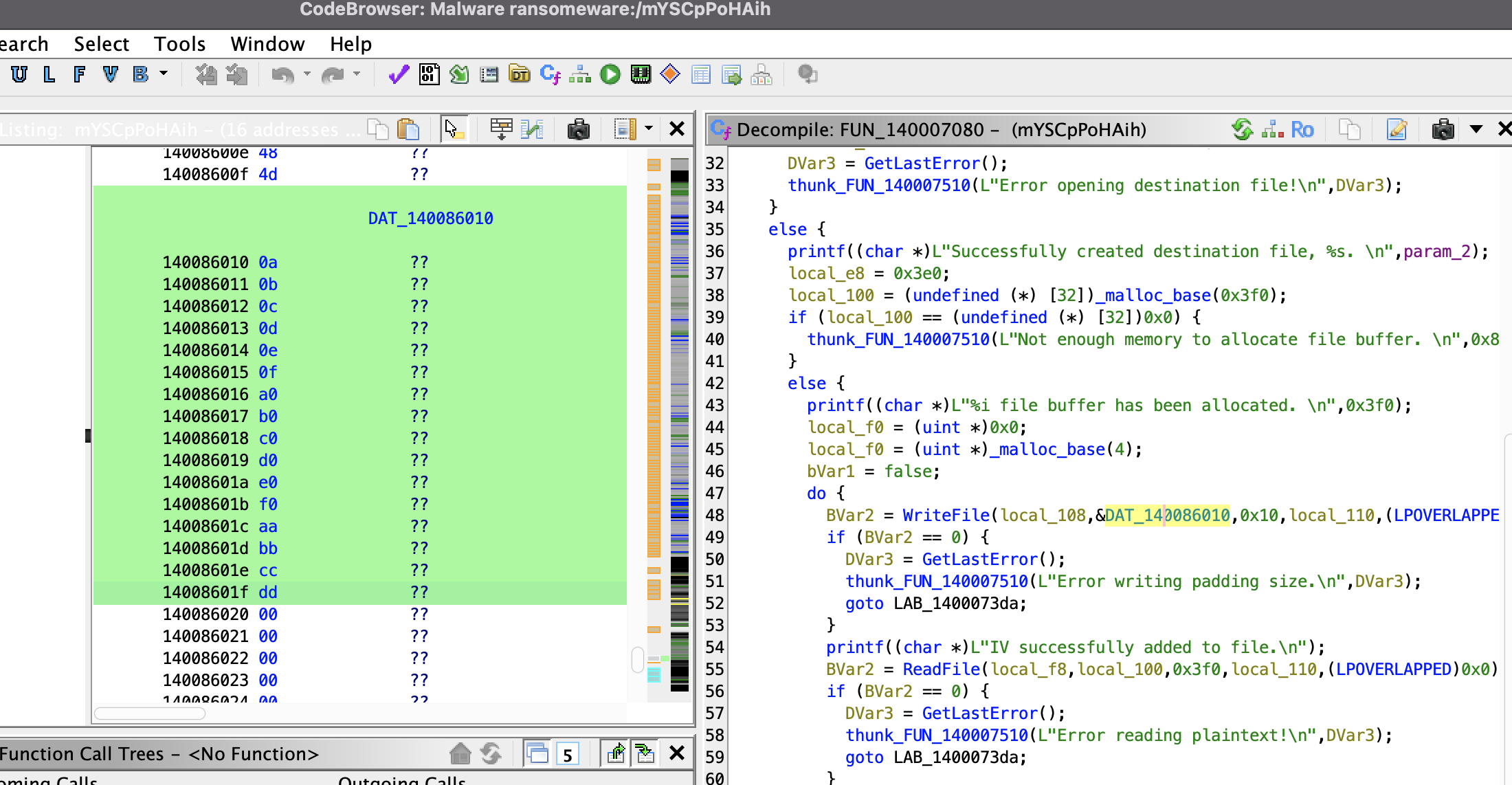
By following the code closely, I found the hardcoded values for both the IV and the key:
- IV Location: DAT_140086010
- Key Location: DAT_140086000
- IV: b'\x0a\x0b\x0c\x0d\x0e\x0f\xa0\xb0\xc0\xd0\xe0\xf0\xaa\xbb\xcc\xdd'
- Key: b'\x8d\x02\xe6\x5e\x50\x83\x08\xdd\x74\x3f\x0d\xd4\xd3\x1e\x48\x4d'
Crafting the Decryption Tool: Breaking the Cipher
With the IV and key now in hand, I got to work coding a decryption tool using Python. I chose the PyCryptodome library, which provides robust cryptographic functions, and built a script to decrypt Hank’s files block by block.
In this video, you’ll see my Python script running in real-time. The tool reads each encrypted file, removes the 16-byte IV and 4-byte file size prefix, and then decrypts the remaining data using AES in CBC mode. I also added a progress bar so that the decryption process could be monitored in real-time.
Victory: Recovering Hank’s Files
After running the decryption tool, Hank’s files were fully restored. The decryption process worked flawlessly, and his data was safe once more.
Lessons Learned & Final Thoughts
This project not only reinforced my expertise in reverse engineering and cryptography, but also showcased my problem-solving abilities under pressure. I took a dangerous ransomware, dissected its encryption method, and successfully built a custom decryption tool. Hank’s files were saved, and I gained invaluable experience.